


MySudo - Identity Protection
4.2739.00 Reviews
App Specs
- Version
- 2.16.2
- Updated On
- License
- Free
- Downloads
- 500,000+
- Developer
- Anonyome Labs, Inc
- Categories
- Productivity
- Platform
- Android
Screenshots
 Analysis by AppCompare
I look at MySudo as a practical way to stop giving every website, shop, and casual contact the same route to reach me. Its value is not that it makes someone invisible online; it gives everyday communication more boundaries. If you have ever wished you could share a contact detail for one purpose without exposing the one tied to everything else, that idea is immediately useful. The trade-off is that separate identities need a little care: you have to remember which one you used and keep the right conversations in the right place.
A different way to handle your contact details
MySudo is a free productivity app from Anonyome Labs, Inc, with optional in-app purchases ranging from $0.99 to $149.99 per item. It has an Everyone age rating, a 3.9 average from around 3,000 ratings, and over 100,000 installs. The current version is 2.13.1, and it was released on May 10, 2020. Those figures help set expectations, but they do not tell you whether this approach fits your routine; the important question is whether you want separate contact identities enough to manage them.
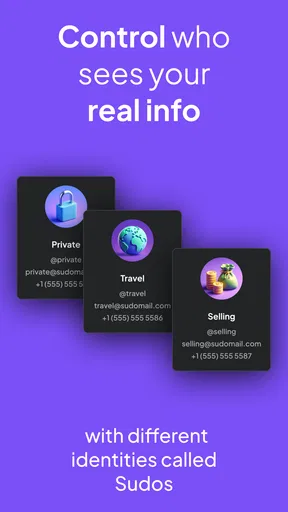
The central idea is straightforward: instead of treating your everyday phone number and email as universal identifiers, you can create separate Sudos for different parts of life. That changes how I think about signing up for a service. A detail given to a one-off retailer does not have to be the same one used by friends, family, or work contacts. The useful privacy gain is compartmentalization, not a promise that no company can ever connect activity to you.
Where separate identities make a real difference
Imagine buying something from a small online shop you have never used. You could give that shop a Sudo intended for purchases rather than your main contact details. If promotional mail starts arriving later, it is easier to recognize which part of your online life is receiving it. The same logic can help when joining a community, registering for a newsletter, or arranging a short-term project: the contact channel has a purpose instead of becoming an open door to your whole life.
That separation is most useful when you decide on a simple naming system before you start. I would label one identity for shopping, another for personal connections, and a third for work or a side project, then use each consistently. This small habit makes the app easier to manage than creating identities on impulse. It also helps when a message arrives unexpectedly: the Sudo that received it gives you context before you even open the conversation.
There is a useful middle ground between handing out your primary number and avoiding communication altogether. A separate identity can make it more comfortable to contact a seller, arrange a local pickup, or respond to a new service without turning a temporary exchange into a permanent connection. For anyone who sells items online or coordinates occasional events, that boundary can be more valuable than having another inbox for its own sake.
What it is like to set up and use
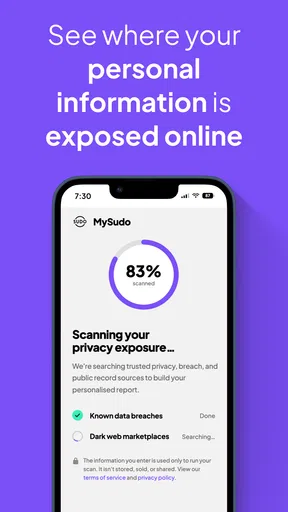
Have you ever felt like your personal information is scattered all over the internet, just waiting to be scooped up by someone with less-than-noble intentions? Well, that's where MySudo comes in. It's like a digital superhero focused on safeguarding your identity and giving you back control over your personal data. Let's dive into what makes this app a must-have for anyone concerned about online privacy.
Worth Reading Before You Choose

EA SPORTS FC Mobile 26 Is a Bigger Football Game, but It Takes Time

Flipboard Shows What News Apps Must Do Beyond the Feed

Switching to Android Auto Means Rethinking Your Driving Routine

Google Calendar Makes a Crowded Week Easier to Manage

Ludo King Makes the Most of the Minutes Between Plans

Baby Panda World Brings Quick Play to Modern Phones, but Its Game Library Feels Busy
What is MySudo All About?
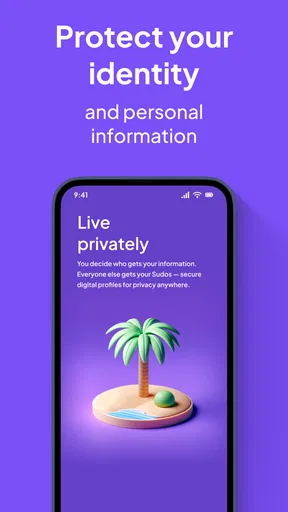
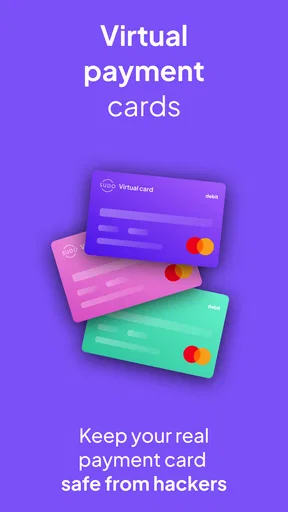
Picture this: you're signing up for a new service, and they ask for your email, phone number, and maybe even your credit card details. Instead of handing over your real information, MySudo lets you create "Sudos," which are essentially separate digital identities. Each Sudo comes with its own phone number, email address, and even a secure browser. It's like having multiple secret identities, all managed from one app!
Setting Up Your Sudos
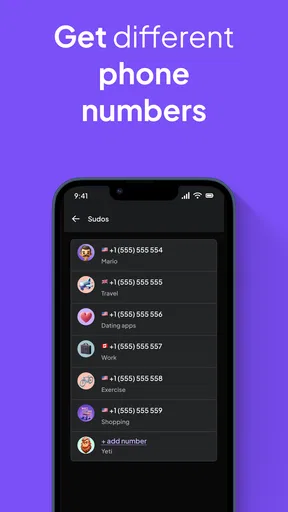
Getting started with MySudo is a breeze. After downloading the app, you can create up to nine different Sudos. This means you can have one Sudo for shopping, another for social media, and maybe one just for family and friends. Each Sudo is completely customizable, letting you choose from a variety of phone numbers and email addresses.
The app's interface is intuitive and user-friendly, making the setup process quick and painless. I found myself creating Sudos for all sorts of activities, and it was surprisingly empowering to keep my personal info under wraps.
That first setup choice matters more than it appears. I would not use all nine slots simply because they are available. Too many identities can become confusing if you cannot remember which address or number belongs to which service. Start with the few roles you actually need, and add another only when you can name a clear purpose for it. If a shop, subscription, or project has its own Sudo, keep that association somewhere memorable; consistency is what makes later messages easier to sort.
Before relying on a new identity for anything time-sensitive, test the channel with a low-stakes message or signup. That gives you a chance to learn where replies appear and how the app handles the different communication methods, without making an important conversation your first experiment. I also recommend updating saved contact details in a password manager or personal notes when you use a Sudo for an account you expect to keep. The point is not to create more admin, but to avoid losing track of the route you deliberately chose.
Communication Made Easy
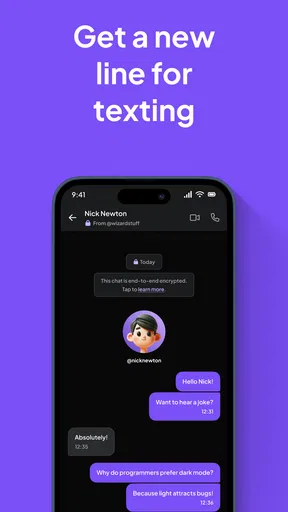
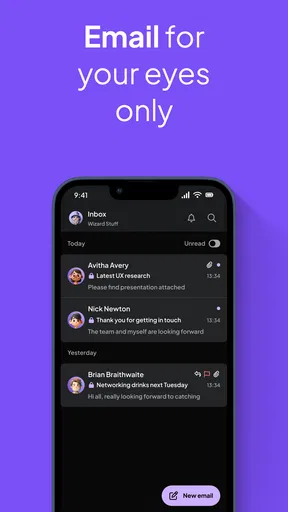
One of the standout features of MySudo is its communication capabilities. Each Sudo can send and receive calls, texts, and emails. Plus, you can even make video calls. It's like having a virtual phone line that you can turn on or off whenever you want. Talk about flexibility!
During my time using the app, I was particularly impressed by the call quality and the seamless integration of messaging features. Everything worked smoothly, and I never felt like I was missing out compared to using my regular phone number.
Having calls, messages, and email associated with distinct identities can reduce the mental clutter of mixing a delivery question with a family conversation. It also makes a boundary more deliberate: when you share a particular Sudo, you are choosing which channel someone can use to contact you. That does not mean every conversation should move into the app. Friends and relatives who already have your ordinary number may not need to change their habits, and a work team may expect everyone to use a shared company system.
A sensible workflow is to reserve a Sudo for people or services that have a clear reason to reach you, then keep your most important contacts on the channels they already use reliably. Before putting a Sudo on a form for an account you cannot afford to lose access to, consider how you would handle a future verification or support message. Separate contact details are handy, but they are only helpful if you can still receive and recognize the messages needed to maintain the account.
Security and Privacy at Its Core
In today's world, privacy is more important than ever. MySudo takes this seriously by offering end-to-end encryption for all communications. This means your calls, texts, and emails are secure from prying eyes. I can't stress enough how reassuring it is to know that your data isn't being harvested or sold to third parties.
Additionally, MySudo doesn't require any personal information when you sign up. You heard that right—no need to hand over your real name or address. It's all about keeping your identity under wraps, and the app does a stellar job at it.
I would still treat privacy as a set of choices, not a magic shield. A separate email or number can make it harder for unrelated services to use the same contact detail to identify you, but it cannot undo information you have already shared or make every online account anonymous. Be thoughtful about the other details you submit on a form, and do not assume that using different Sudos changes a service's own data practices. The benefit is that you can limit exposure and make your contact channels less uniform.
This is also why MySudo is not automatically the right tool for every sensitive interaction. If your priority is secure communication with a specific person, check that the person is actually using a compatible channel and understands how you want to communicate. If your main concern is broader device security or protecting files, a multi-identity communication app is not a substitute for those other safeguards. I see it as one layer for managing contact information, not a complete privacy plan.
Browsing with Peace of Mind
Another nifty feature is the secure browser included with each Sudo. This allows you to surf the web without leaving a digital footprint. Whether you're researching sensitive topics or just want to keep your browsing history private, the secure browser has you covered.
It's fast, responsive, and doesn't track your searches or clicks. I found it particularly useful for accessing sites that require login information, as you can keep your credentials separate from your main accounts.
The browser is most useful when you want a clear boundary between a particular Sudo and your usual browsing, rather than as a reason to move every online activity into a new place. For instance, keeping a shopping-related login and its browsing separate can make it easier to remember which identity you used. The trade-off is convenience: if you routinely depend on saved settings or familiar browser habits elsewhere, switching contexts takes effort. I would use it for activities where separation has a purpose, not make a second browser routine just for the sake of doing so.
How it compares with simpler alternatives
Most people manage contact details with one primary email and phone number, perhaps adding a spare email account when spam gets annoying. That arrangement is easier to understand and may be enough if you rarely sign up for unfamiliar services. MySudo takes a more organized approach by grouping multiple contact identities and communication channels in one app. The advantage is clearer boundaries; the cost is having another place to check and another system to remember.
A basic email alias can be a lighter choice if you only want to route signups away from your main inbox. A second phone line may make more sense if your need is simply a separate number for business calls. MySudo is a better fit when you want several roles to have their own contact identity rather than solving just one narrow problem. Before paying for any in-app option, think about how many identities and communication tools you will genuinely use; the free starting point makes it possible to explore the approach, while purchases can change the overall value for your own needs.
Who will get the most from it
I would recommend MySudo to people who regularly deal with unfamiliar websites, occasional sellers, newsletters, or side projects and want to avoid spreading one personal number and email everywhere. It can also suit freelancers who want a clearer line between clients and private contacts, and parents coordinating activities where they prefer not to give out their household's usual details. The strongest case is not having nine identities; it is having enough separation to make contact manageable without losing track of who has which information.
On the other hand, if you prefer one inbox and one number, hardly ever share your details, or do not want to check another app, the extra organization may feel like work rather than protection. It is also not ideal if your employer or clients require communication through their own approved tools. In those cases, a simpler alias or the communication system you already use may be more practical. MySudo earns its place when compartmentalization solves a real annoyance in your day, not merely because privacy sounds appealing in theory.
Where MySudo Shines
MySudo truly excels in scenarios where privacy is a top concern. Whether you're dealing with online shopping, signing up for newsletters, or managing work-related communications, having separate identities keeps everything organized and secure.
For anyone juggling multiple roles—like freelancers, entrepreneurs, or even parents managing family logistics—MySudo offers a unique way to compartmentalize your digital life.
A less obvious advantage is that separation can help you make better decisions about what to share next time. If a service only needs to send a receipt, there is little reason to give it the same contact channel you use for close relationships. Likewise, if a temporary exchange becomes noisy, you can identify the channel involved instead of wondering whether your primary contact details have been exposed everywhere. This will not eliminate unwanted messages, but it can make the source easier to narrow down and help you choose a more appropriate identity for future signups.
Keep the system simple enough to maintain. I would review the purpose of each Sudo occasionally, especially if a side project ends or a temporary arrangement is over. A tidy naming scheme and a short note about which accounts use which identity are more useful than creating a complicated taxonomy. If you cannot quickly tell why an identity exists, it is probably not helping you manage your digital life.
Final Thoughts
In a world where our personal data is constantly under threat, MySudo provides a much-needed layer of protection. It combines simplicity with robust features, making it an essential tool for anyone looking to reclaim their privacy.
Whether you're a privacy enthusiast or just someone tired of spam calls and emails, MySudo gives you the tools to take control. With its easy setup, versatile communication options, and strong security measures, it's a no-brainer for those seeking peace of mind in the digital age.
My verdict is more measured than “essential”: this is a useful privacy organizer for people willing to build a few consistent habits around separate contact identities. I would begin with one or two practical roles, see whether the extra boundary actually reduces confusion, and expand only if it does. If you want a single app to replace every existing communication routine, or expect it to erase your online footprint, you may be disappointed. But for someone who wants to share less of their main contact information without giving up ordinary communication, MySudo is a thoughtful option worth trying.
Pros
- Enhanced privacy with multiple aliases.
- Easy to manage separate phone numbers.
- Secure messaging and calling features.
- User-friendly interface and setup.
- No ads to disrupt user experience.
Cons
- Limited free version features.
- Subscription can be pricey.
- Requires stable internet connection.
- Some features may lag occasionally.
- Not all numbers support MMS.
FAQs for MySudo - Identity Protection
What is MySudo and how does it protect my identity?
MySudo is an app designed to protect your personal information by allowing you to create multiple 'Sudos,' or digital identities, for different aspects of your life. Each Sudo can have its own phone number, email, and browsing activity, keeping your real identity private and secure from data breaches and unwanted tracking.
Is MySudo difficult to set up and use?
Setting up MySudo is straightforward. The app provides a user-friendly interface that guides you through creating and managing your Sudos. You don’t need technical expertise to use the app, and its intuitive design ensures you can easily switch between identities and manage your communications effectively.
Does MySudo offer secure communication features?
Yes, MySudo offers secure communication features, including encrypted messaging, calling, and email. These features ensure that your conversations remain private and secure, providing peace of mind that your communications are protected from eavesdropping and unauthorized access.
What platforms is MySudo available on, and is it free to use?
MySudo is available on both Android and iOS platforms. The app offers a free version with limited features, and premium plans are available for users who need more Sudos and additional functionality. The tiered pricing allows users to choose the level of protection and features that best suit their needs.
How does MySudo handle data privacy and storage?
MySudo takes data privacy seriously by implementing end-to-end encryption and not storing any user information on its servers. This means that only you have access to your data, and the company cannot view or sell your personal information, ensuring your privacy is maintained at all times.


